
Process to file an application for extension in date for filing of Return on Iris is as under:
- Click “Declaration” on the Horizontal Bar Menu at the top of the Screen.

- A Vertical Drop Down Menu will open. Select “119(1) / 114 (Application for extension in time for filing of Return of Income)“.
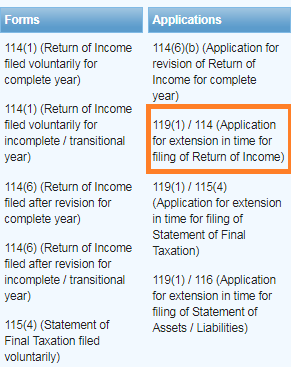
- An Interface will open. Click on “Period” Button on right of the Screen.
- A Dialog will open. Enter relevant tax year against “Tax Period” for which you want to apply extension.
- Click on “Search” icon.
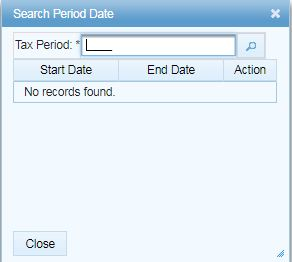
- Tax Periods list shall appear, click on “select” link shown against the relevant tax period.
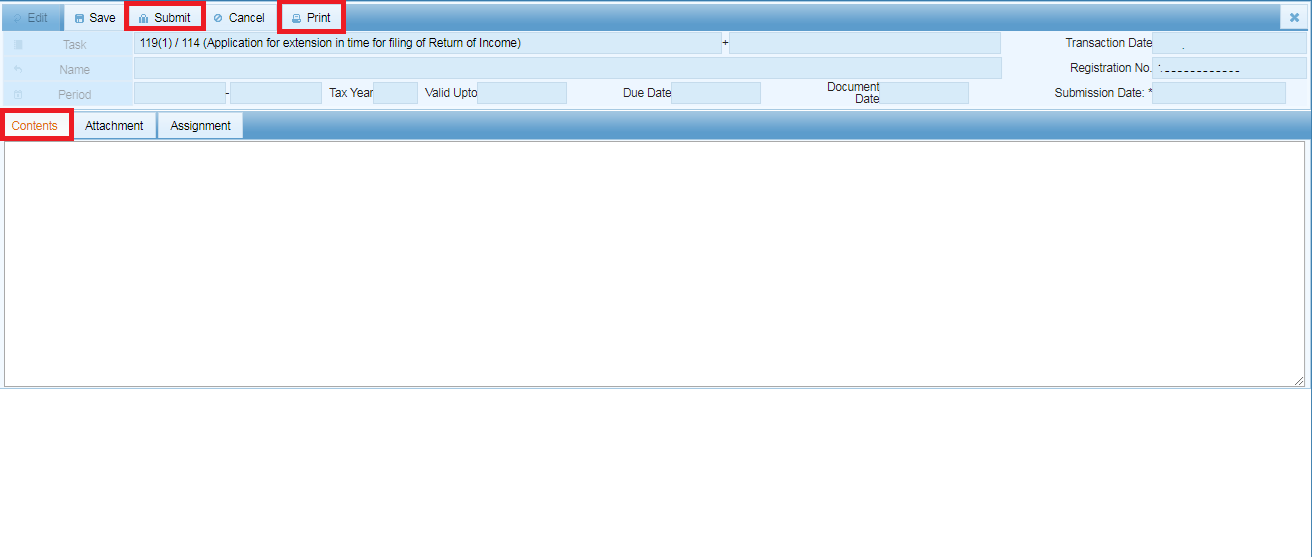
- Type the reason or remarks in contents box.
- Click on “Submit” Button on the Horizontal Bar Menu at the top of the Screen.
- Click on “Print” Button on the Horizontal Bar Menu at the top of the Screen to get a print of the application.
- Your application shall be forwarded to relevant Tax Office
- When the concerned officer will pass an Order on your application, the order will be available in your Inbox on Iris system.
Source: FBR
For any queries related to Tax, SECP, Shares, Stocks or Finance write to us at finperial@gmail.com
 FINPERIAL